10 Actionable Remote Team Management Tips for 2025
Managing a remote team requires a different skill set than leading in an office. Success depends on intentional communication, clear expectations, and structured processes that build trust and maintain alignment across distances. Many managers struggle with creating connection, giving clear feedback, and ensuring fairness when they cannot see their team daily. This guide provides 10 specific remote team management tips you can implement immediately.
Each one is designed to help you build a high-performing, engaged, and connected remote team. You will learn how to structure conversations, deliver effective feedback, and create visibility without micromanaging. These strategies focus on practical application, helping you foster an environment of psychological safety and professional growth. To ensure your leadership is effective from any location, equip your team with the best collaboration tools for remote teams.
This article will help you master the fundamentals of remote leadership. You will see how to establish clear communication protocols, conduct effective one-on-one meetings, and use asynchronous updates to maintain progress. We will cover how to deliver tough feedback remotely and create individual development plans that keep your people motivated. Let's look at the actionable strategies to lead your team confidently from anywhere.
1. Establish Clear Communication Protocols and Expectations
Managing a remote team effectively starts with a foundational communication plan. Without the casual interactions of an office, you must deliberately create clarity on how, when, and where your team connects. Establishing explicit guidelines removes ambiguity, reduces response anxiety, and empowers team members to work asynchronously with confidence, a cornerstone of successful remote team management tips.

This means you define which channels to use for different types of messages. For example, GitLab's public handbook specifies using Slack for informal, urgent communication and GitLab Issues for structured, non-urgent work discussions. This distinction prevents important decisions from getting lost in a fast-moving chat feed.
How to Implement Communication Protocols
To build a framework that sticks, involve your team in its creation. Co-creating these standards promotes buy-in and ensures the guidelines are practical for everyone’s workflow.
Start by defining key areas:
- Channel Purpose: Designate a primary tool for each communication type. For instance, use Slack for quick questions, email for external communication, and your project management tool for task-specific updates.
- Response Times: Set clear expectations, like a 24-hour response time for non-urgent emails and a 2-hour window for direct messages during work hours.
- Availability: Define core collaboration hours when everyone is expected to be online for synchronous work, while allowing for flexible schedules outside of that block.
- Meeting Norms: Document rules for meetings, such as requiring an agenda, keeping cameras on to improve engagement, and always sending a recap with action items.
Document these protocols in a central, easily accessible location like a team wiki or shared document. Then, you model this behavior consistently to reinforce its importance.
2. Implement Structured 1-on-1 Meetings with Intentional Agendas
In a remote setting, structured 1-on-1 meetings are your most powerful tool for connection, alignment, and development. These regular, consistent check-ins create a dedicated space to go beyond daily tasks, allowing you to address challenges early, discuss career growth, and offer individualized support. Intentional agendas prevent these conversations from becoming simple status updates, transforming them into a cornerstone of effective remote team management tips.
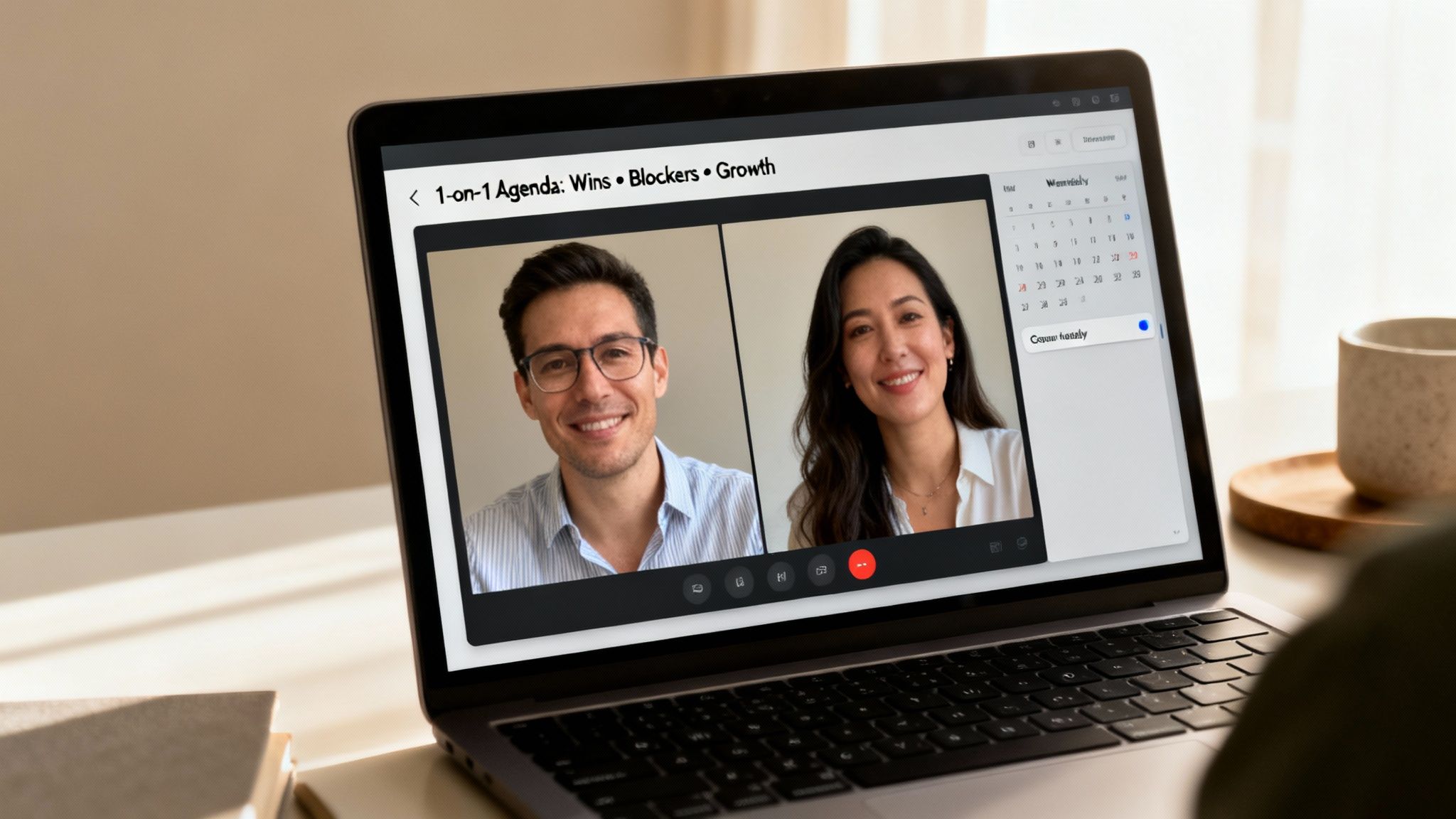
This proactive approach is validated by major companies. Google's Project Oxygen research identified consistent 1-on-1s as a critical habit of high-performing managers. Netflix’s culture emphasizes regular, direct feedback conversations as essential for growth and alignment. These meetings build trust and provide the psychological safety team members need to thrive.
How to Implement Structured 1-on-1s
To make your 1-on-1s effective, you need a repeatable process that encourages open dialogue and clear outcomes. A shared agenda is the foundation for a productive, two-way conversation.
Start by defining the core components:
- Consistent Cadence: Block recurring weekly or bi-weekly time on the calendar and treat it as non-negotiable to show your commitment.
- Shared Agenda: Use a collaborative document where both you and your team member can add topics. Cover key areas like recent accomplishments, current challenges, career aspirations, and feedback. Finding the right one-to-one questions is key to a productive discussion.
- Team Member Ownership: Encourage your direct report to drive the agenda. This empowers them to bring their most pressing issues to the conversation.
- Document Outcomes: Always record key discussion points and action items. Reference these notes before your next meeting and during performance reviews to track progress.
3. Use Asynchronous Updates and Status Reports to Replace Micromanagement
Constant check-ins and status meetings can feel like micromanagement and disrupt deep work, a significant challenge for distributed teams. Shifting to asynchronous written updates is one of the most effective remote team management tips because it maintains visibility without interruptions. This practice respects your team's focus time, accommodates different time zones, and creates a searchable record of progress and challenges.
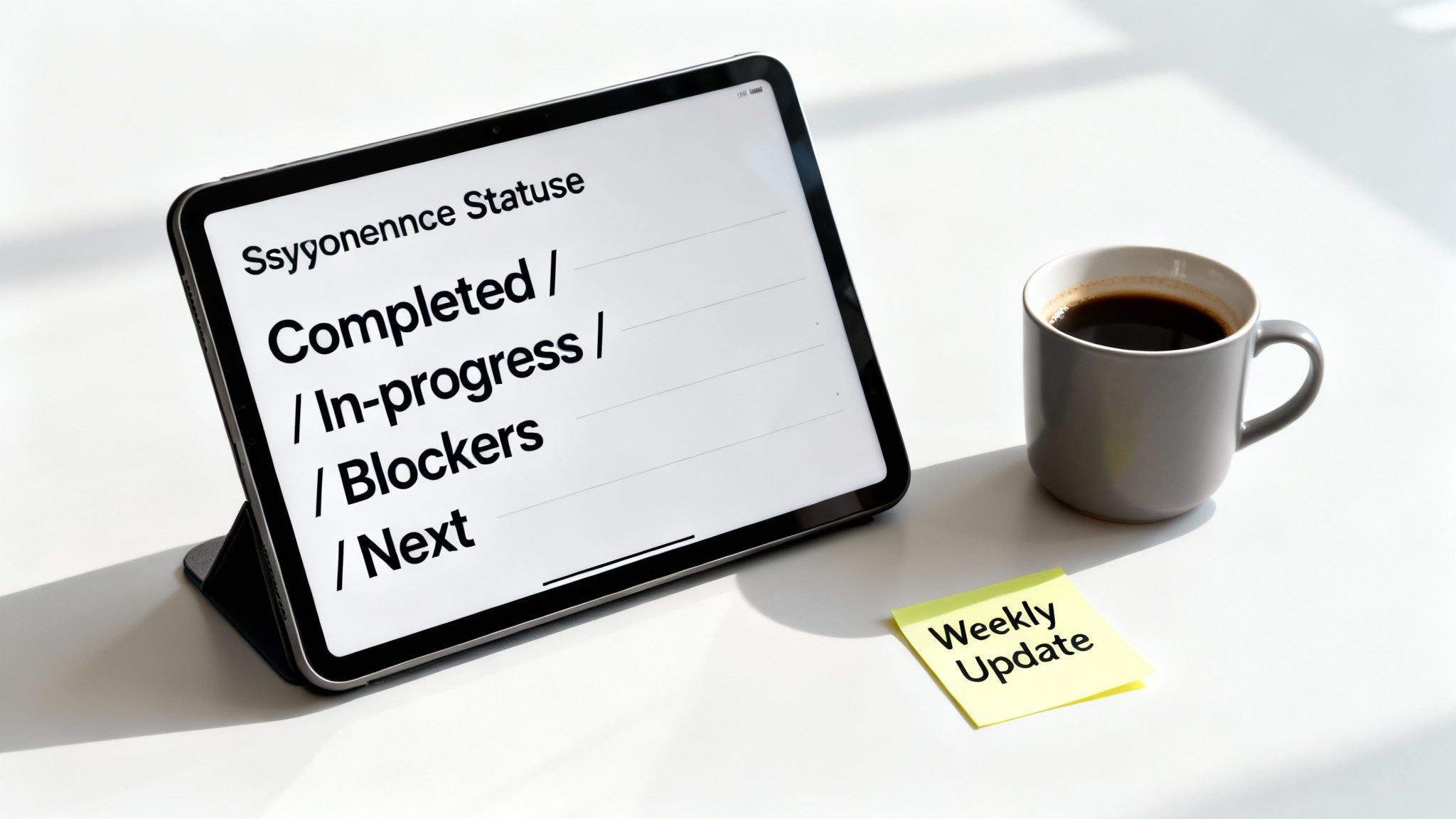
This method empowers employees to report on their own terms while giving managers a clear view of progress and potential roadblocks. Companies like Doist and Basecamp build their workflows around written, asynchronous communication, which significantly reduces meeting dependency. The key is establishing a predictable cadence for these updates so everyone knows what to expect.
How to Implement Asynchronous Updates
To make async updates a core part of your management rhythm, start by creating a simple, repeatable process. A shared template ensures consistency and makes it easy for team members to provide the most important information without spending too much time on formatting.
Follow these steps for a smooth rollout:
- Create a Simple Template: Structure updates around key areas like: Progress (what I accomplished), Plans (what I'll work on next), and Blockers (where I need help).
- Establish a Cadence: Define when updates are due, such as every Friday afternoon or Monday morning. Consistency is crucial for building the habit.
- Engage with Updates: Acknowledge each update within 24 hours. Ask clarifying questions or offer encouragement to show you are reading and valuing them.
- Use Updates to Unblock: Proactively identify and address the blockers your team members mention. This demonstrates the practical benefit of the process.
- Reference in 1-on-1s: Use the written updates as a starting point for deeper conversations in your one-on-one meetings, shifting the focus from status reporting to problem-solving and growth.
4. Deliver Feedback Effectively (Asynchronous and Difficult Conversations)
Delivering clear, actionable feedback is a critical skill for remote managers, especially when you cannot rely on in-person cues. Without a structured approach, asynchronous comments can feel ambiguous or harsh, while difficult conversations become even more challenging. Using frameworks grounds feedback in specific behaviors and outcomes, ensuring fairness and giving team members a clear path to improve.
This means you adopt proven models to remove subjectivity. For instance, Google's "Situation-Behavior-Impact" (SBI) framework helps structure comments precisely. It focuses on observable facts, which is essential for remote team management tips that build trust. This method turns potentially vague criticism into productive, documented coaching moments.
How to Implement Effective Feedback Processes
To build a culture of constructive feedback, you must be consistent and transparent in your methods. This helps your team see feedback as a tool for growth rather than a reason for anxiety.
Start by defining your approach:
- Adopt a Framework: Use the Situation-Behavior-Impact (SBI) model for all feedback. Describe the Situation (e.g., "During yesterday's client presentation..."), the specific Behavior ("...you presented the data without summarizing the key takeaways..."), and the Impact ("...which left the client confused about the next steps.").
- Choose the Right Medium: Deliver constructive feedback on smaller issues asynchronously using SBI. For sensitive or significant performance concerns, always schedule a video call to provide support and clarity.
- Document and Follow Up: Record the key points of the conversation in a shared document. Schedule a follow-up meeting within one or two weeks to review progress and offer additional support.
- Prepare for Tough Conversations: For performance issues requiring a formal plan, create a structured Performance Improvement Plan (PIP) with clear, measurable goals and timelines. You can learn more about how to have tough conversations with employees.
Document your feedback approach in your team's central knowledge base. By modeling this behavior yourself, you encourage a team environment where feedback is welcomed and acted upon.
5. Create Visibility Into Work and Progress Without Invading Privacy
Effective remote team management tips often focus on outcomes, not activity. Creating visibility into work requires systems that build trust and transparency, not tools for surveillance. When you establish clear, shared systems for tracking progress, you empower your team with autonomy while giving you the insight needed to manage dependencies and remove roadblocks without micromanaging or using invasive monitoring software.
This approach focuses on making progress and obstacles visible to everyone. For example, Zapier uses shared OKRs and product roadmaps that are accessible across the entire company, ensuring everyone understands strategic priorities. This method fosters a culture of shared ownership and collaborative problem-solving, which is far more effective than tracking keystrokes.
How to Implement Transparent Work Systems
To build a culture of visibility without sacrificing trust, focus on shared tools and processes that clarify priorities and progress. Your goal is to create a single source of truth that helps the team align its efforts.
Start by defining your visibility stack:
- Standardize Tools: Select one primary project management tool, like Asana or Jira, and ensure the entire team uses it consistently for all task-related updates.
- Establish a Priority Hierarchy: Implement a clear system, such as P0, P1, and P2, to label task urgency. This makes priorities transparent and helps team members manage their own workloads.
- Make Blockers Public: Create a visible "blockers" list or use a specific tag in your project tool. This encourages the team to flag issues early and allows others to offer help.
- Communicate Intent: Explicitly state that these systems are for alignment and support, not for surveillance. Reinforce that you trust your team to manage their time and that visibility helps you remove obstacles for them.
6. Develop Individual Career Plans and Growth Opportunities Proactively
In a remote setting, employees can feel disconnected from career progression opportunities. Proactively developing individual career plans moves beyond annual reviews, creating a continuous dialogue about growth. This structured approach makes career paths visible and shows your team you are invested in their long-term success, a critical component of effective remote team management tips.
This process involves regularly discussing career goals, skill gaps, and learning opportunities outside of performance reviews. For example, Amazon’s leadership development program starts with personalized career conversations to build individual plans. This focus on intentional growth helps retain top remote talent by ensuring they see a future with the company.
How to Implement Proactive Career Development
Schedule dedicated development conversations that are separate from performance-focused one-on-ones. This separation allows for more open, aspirational discussions without the pressure of a formal evaluation. Use this time to explore their long-term goals and build a concrete plan together.
Focus on these key actions:
- Separate Growth Talks: Dedicate specific quarterly meetings to career development. This prevents these important talks from being rushed or overlooked during tactical project updates.
- Define SMART Objectives: Use a framework to create clear, measurable goals. An objective could be "Complete the Advanced Python certification by the end of Q3" instead of "learn Python".
- Explore Aspirations: Ask about your team members' ultimate career ambitions, not just the next logical role. This helps you support their true passions, whether in leadership or as an individual contributor.
- Allocate Resources: Earmark a specific budget and time for training, such as sending an employee to a virtual conference or paying for an online course. This demonstrates a real commitment to their growth.
Document this plan and check in on progress regularly. For more guidance on structuring these plans, learn how to write a development plan that aligns employee ambitions with company goals.
7. Build Team Cohesion and Culture Through Intentional Virtual Interactions
Building a strong team culture without a physical office requires deliberate effort. You must design virtual interactions that foster trust, strengthen relationships, and create a shared identity among distributed team members. These intentional touchpoints combat isolation and are essential remote team management tips for cultivating a sense of belonging and psychological safety.

This means you create space for the informal connections that happen organically in an office. For example, Zapier celebrates wins publicly in a dedicated Slack channel and hosts monthly virtual team lunches to maintain social bonds. Shopify uses "virtual coworking" sessions where team members work together on a video call, creating a sense of presence without required conversation.
How to Implement Intentional Virtual Interactions
To build cohesion, you should integrate both structured and unstructured social time into your team's regular cadence. These activities should feel authentic, not forced, and offer opportunities for genuine connection.
Start by introducing simple, recurring rituals:
- Informal Meeting Kickoffs: Dedicate the first 5 to 10 minutes of team meetings to non-work chat. This "soft start" allows people to connect on a personal level before focusing on the agenda.
- Celebration Channels: Create a specific place, like a Slack channel, for sharing personal and professional wins. Encourage everyone to contribute and react, making recognition a shared habit.
- Optional Social Events: Host regular, optional virtual coffee chats or happy hours. Using tools like Donut to pair random team members for a chat can help build cross-functional relationships.
- Modeling Vulnerability: As a manager, share personal updates and be open about your own challenges. This models the behavior you want to see and makes it safe for others to do the same.
8. Set Clear Goals and Align Them to Team and Company Objectives
In a remote environment, team members need a clear line of sight from their daily tasks to the company's mission. Without this connection, work can feel disconnected and motivation can fade. A systematic goal-setting process ensures everyone understands how their contributions directly influence broader business success, a critical component of effective remote team management tips.
Frameworks like Objectives and Key Results (OKRs), used by Google and Intel, create this alignment by design. Each individual's objective supports a team objective, which in turn supports a company objective. This creates a transparent hierarchy of purpose that empowers employees and simplifies performance evaluation by focusing on measurable outcomes.
How to Implement Goal Alignment
To create meaningful alignment, you must build goals collaboratively rather than dictating them from the top down. This approach fosters ownership and ensures goals are both ambitious and realistic for each person's role.
Start by defining a clear process:
- Adopt a Framework: Choose a system like OKRs or SMART goals to provide a consistent structure. SMART goals ensure that every objective is Specific, Measurable, Achievable, Relevant, and Time-bound.
- Connect the Dots: Work with each team member to ensure 60-70% of their goals directly support team and company priorities. The remaining capacity can be allocated to individual growth or experimental projects.
- Track Progress Visibly: Use a shared dashboard or project management tool to make goal progress transparent. This visibility keeps everyone focused and accountable.
- Review and Adjust: Business priorities change. Schedule quarterly goal reviews to assess progress, celebrate wins, and adjust objectives as needed to stay aligned with the company's direction.
Document all goals in a centralized system. Regularly reference them in one-on-ones to keep them top of mind and reinforce their importance.
9. Master Video Meeting Dynamics and Presence to Lead Effectively
In a remote setting, video calls replace the boardroom, making your on-screen presence a critical leadership tool. Without physical cues, you must intentionally cultivate a strong virtual presence to build trust, maintain engagement, and lead with clarity. Mastering video dynamics is one of the most impactful remote team management tips for ensuring your influence translates effectively through a screen.
Effective virtual leadership means you compensate for the lack of in-person energy. LinkedIn's guidance on "video presence" identifies it as an essential modern skill. Research from experts like Amy Cuddy shows how deliberate body language projects confidence. The goal is to make every interaction feel connected and purposeful, not another video call on the calendar.
How to Improve Your Virtual Presence
Building your on-camera leadership skills requires conscious effort and consistent practice. Focus on small, deliberate actions that create a more engaging and professional environment for your team.
Start by refining these key areas:
- Camera and Eye Contact: Position your camera at eye level to create a direct line of sight. Look at the camera lens, not the screen image of the other person, to simulate genuine eye contact and build rapport.
- Vocal Variety: Avoid a monotone delivery. Vary your vocal tone, pace, and volume to keep listeners engaged and emphasize important points.
- Meeting Facilitation: Set a clear agenda and actively guide the conversation to achieve its goals. For teams spread across the globe, using a dedicated tool can be crucial. A Guide to a Meeting Planner for Time Zones helps you schedule effectively, ensuring everyone can participate without friction.
- Non-Verbal Cues: Smile and use facial expressions to convey warmth and openness. Sit upright and avoid multitasking. Giving your full attention demonstrates respect and builds trust.
10. Create Psychological Safety and Normalize Vulnerability and Questions
High-performing remote teams thrive on trust, not fear. Psychological safety is the shared belief that team members can take interpersonal risks, like asking questions or admitting mistakes, without facing punishment or humiliation. As a manager, you must intentionally cultivate this environment. Otherwise, silence and avoidance will undermine innovation and collaboration. Making your team feel safe is one of the most impactful remote team management tips you can implement.
This concept is not theoretical. Google’s Project Aristotle identified psychological safety as the single most important factor in its most successful teams. When team members feel secure, they are more willing to offer diverse perspectives, flag potential problems early, and collaborate openly on solutions, leading directly to better outcomes.
How to Implement Psychological Safety
Building psychological safety requires consistent, deliberate action. You must model the behavior you want to see and create structural opportunities for open dialogue. Your response to vulnerability sets the tone for the entire team.
Start by focusing on these key behaviors:
- Model Vulnerability: Share a recent professional mistake you made and the lesson you learned from it. This normalizes imperfection and shows that growth comes from challenges.
- Respond with Curiosity: When a team member raises a problem or asks a challenging question, thank them. Respond with phrases like, “That’s a great point, tell me more about that,” instead of becoming defensive.
- Structure for Inclusion: Actively solicit input from quieter team members during meetings. Directly ask for their perspective to show that all voices are valued.
- Implement Blameless Post-Mortems: After a project fails or an error occurs, facilitate a review focused on "what happened and what can we learn" instead of "who is at fault." This turns failures into shared learning opportunities.
Document your team's commitment to these practices in your shared handbook. Reinforce them daily through your own actions to build a resilient, open, and innovative remote culture.
10-Point Remote Team Management Comparison
| Practice | Implementation Complexity 🔄 | Resource Requirements ⚡ | Expected Outcomes 📊 | Ideal Use Cases 💡 | Key Advantages ⭐ |
|---|---|---|---|---|---|
| Establish Clear Communication Protocols and Expectations | 🔄 Medium: co-create policies, enforce norms | ⚡ Low–Medium: documentation, channel config, occasional training | 📊 Predictable responses; fewer interruptions; async-friendly workflows | 💡 Distributed teams across time zones; async-first organizations | ⭐ Reduces miscommunication; enables deep focus; supports work-life balance |
| Implement Structured 1-on-1 Meetings with Intentional Agendas | 🔄 Medium: schedule cadence + agenda templates | ⚡ Medium: manager time (weekly/bi‑weekly), note-taking tools | 📊 Stronger trust; early issue detection; higher engagement/retention | 💡 Teams needing development, coaching, or high-touch management | ⭐ Builds psychological safety; personalized development; documented history |
| Use Asynchronous Updates and Status Reports to Replace Micromanagement | 🔄 Low–Medium: create templates and cadence | ⚡ Low: simple templates + PM/communication tools | 📊 Fewer meetings; searchable progress trail; sustained deep work | 💡 Cross-time-zone teams; roles requiring uninterrupted focus | ⭐ Reduces interruptions; improves transparency; supports accountability |
| Deliver Feedback Effectively (Async & Difficult Conversations) | 🔄 Medium–High: train on frameworks (SBI, PIP) | ⚡ Medium: time to draft, review, and follow up; documentation | 📊 Clearer performance improvement; documented fair process | 💡 Performance issues, sensitive feedback, remote performance reviews | ⭐ More precise, consistent feedback; legal/HR protection; opportunity to improve |
| Create Visibility Into Work and Progress Without Invading Privacy | 🔄 Low–Medium: select tools + governance rules | ⚡ Medium: PM tooling, upkeep, and discipline | 📊 Better cross-team coordination; accurate progress view; trust preserved | 💡 Projects with dependencies; distributed knowledge work | ⭐ Non-invasive transparency; reduces false signals; aids collaboration |
| Develop Individual Career Plans and Growth Opportunities Proactively | 🔄 High: ongoing conversations and planning | ⚡ High: manager time, L&D budget, mentoring resources | 📊 Higher retention; clearer career paths; skill gap reduction | 💡 High‑potential employees; retention- and growth-focused orgs | ⭐ Increases engagement and retention; clarifies progression; builds capability |
| Build Team Cohesion and Culture Through Intentional Virtual Interactions | 🔄 Medium: design rituals and optional events | ⚡ Medium: recurring social time, facilitation, tooling | 📊 Increased belonging; reduced isolation; better collaboration | 💡 Remote teams with weak social bonds or high isolation risk | ⭐ Strengthens trust and morale; makes feedback easier; improves retention |
| Set Clear Goals and Align Them to Team and Company Objectives | 🔄 Medium: adopt OKR/SMART cadence and review cycles | ⚡ Medium: goal-setting sessions, tracking tools, quarterly reviews | 📊 Greater alignment; objective performance evaluation; focused priorities | 💡 Goal-driven organizations; teams needing measurable outcomes | ⭐ Clarifies expectations; links individual work to company impact |
| Master Video Meeting Dynamics and Presence to Lead Effectively | 🔄 Medium: skill-building and meeting design | ⚡ Low–Medium: coaching, camera/mic setup, agenda discipline | 📊 Better real-time connection; clearer discussions; higher engagement | 💡 Important conversations (1‑on‑1s, feedback, leadership meetings) | ⭐ Restores nonverbal cues; improves trust and perceived leadership |
| Create Psychological Safety and Normalize Vulnerability and Questions | 🔄 High: cultural change requiring consistent modeling | ⚡ Medium: leader time, training, ongoing reinforcement | 📊 More candid communication; higher innovation; earlier problem detection | 💡 High-performing teams; environments needing risk-taking and learning | ⭐ Dramatically improves information flow, innovation, and belonging |
Putting These Remote Management Tips Into Practice
Leading a remote team effectively requires a shift from traditional office management to a more intentional, structured approach. The strategies in this article provide a comprehensive framework for this transition. You learned to establish explicit communication protocols, conduct impactful 1-on-1s with prepared agendas, and replace invasive oversight with asynchronous updates that build trust. These are not isolated tactics; they are interconnected systems that create a cohesive and high-performing remote environment.
Core Takeaways for Immediate Action
The most successful remote managers focus on outputs and outcomes, not visible activity. Your primary goal is to create clarity and connection. This involves you setting unambiguous goals, delivering consistent feedback, and fostering a culture of psychological safety where team members feel comfortable asking for help. Mastering these remote team management tips is about building a system where your team can do their best work autonomously.
Remember these key principles:
- Intentionality over proximity: You must proactively create the touchpoints and cultural moments that happen organically in an office.
- Clarity is kindness: Ambiguity in expectations, communication, or feedback leads to anxiety and disengagement. Be precise.
- Consistency builds trust: A predictable cadence for meetings, feedback, and project updates creates a stable foundation for your team.
Your Actionable Next Steps
Do not try to implement all ten tips at once. Instead, choose one or two areas that will have the biggest impact on your team right now. For example, if your 1-on-1 meetings feel aimless, start there. Use a shared agenda template and focus on future growth conversations, not status updates. If communication feels chaotic, define your team's "source of truth" for project information and set clear expectations for response times in different channels.
Track the impact of these small changes. Ask for direct feedback from your team about what is working and what needs adjustment. This iterative process of implementing, gathering feedback, and refining is central to mastering remote leadership. Your commitment to improving these systems shows your team you are invested in their success and well-being, which is the ultimate driver of engagement and performance. Applying these remote team management tips consistently will transform you from a manager into a true leader of a distributed team.
Stop preparing for difficult conversations alone. PeakPerf provides AI-powered guidance and structured templates to help you deliver clear, consistent, and fair feedback every time. Build your leadership skills and lead your remote team with confidence by visiting PeakPerf.


